Session Details
| Field | Value |
|---|---|
| Session ID | 1257 |
| Title | AI Pair-Assistant for APS Operators: The End of Scripts? |
| Speaker(s) | Dmytro Yemelianov |
| Session Type | 30-minute deep dive |
| Status | Complete |
AI Pillars
- ✓Automate - Speed repetitive tasks, shrink cycle times, reduce errors
- ✓Assist - Improve decisions with insights, copilots, and intelligent guidance
- ✓Augment - Expand human capability—new ways to design, plan, deliver
Themes
- ○Sustainability
- ✓Digital Transformation
- ✓System Integration
Target Audience
- ✓Business Decision Makers - Strategy, ROI, operational outcomes
- ✓Developers/Architects - How it's built, APIs, patterns, lessons learned
Learning Objectives
- Understand how Model Context Protocol (MCP) connects AI assistants to APS APIs
- See real demonstrations of AI-assisted APS operations—no scripting required
- Evaluate when AI assistance replaces, augments, or complements traditional automation
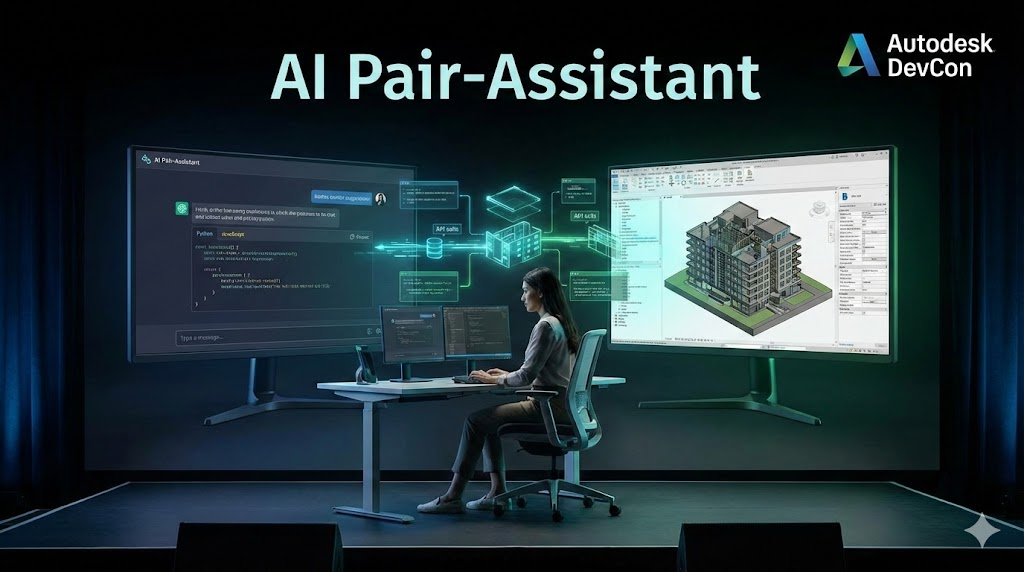
Abstract
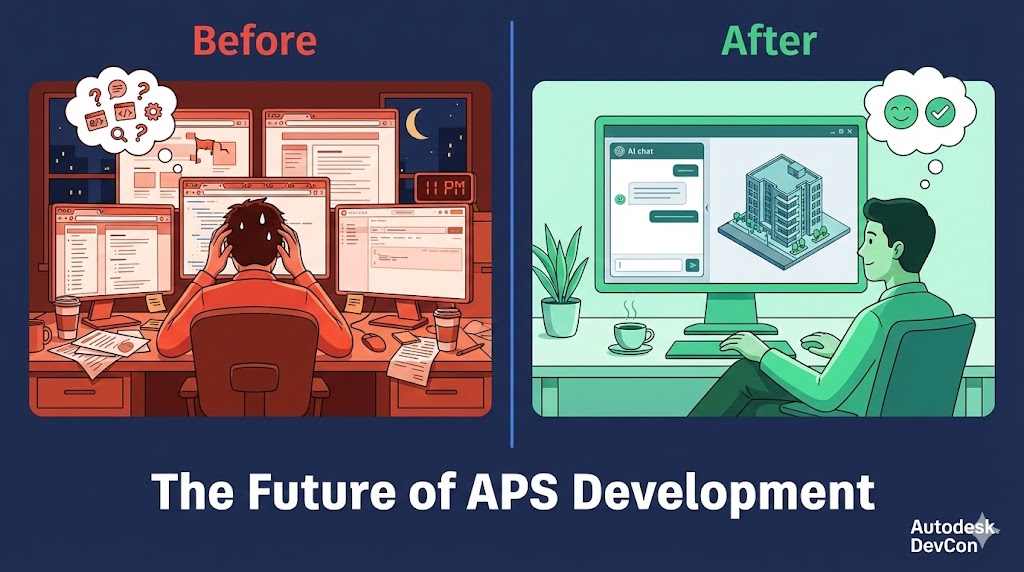
It's 11 PM. You're troubleshooting a failed translation job. The manifest returns cryptic status codes. You're switching between three browser tabs—API documentation, Postman, and Stack Overflow—trying to remember the exact endpoint for checking derivative status. Your coffee is cold.
What if instead, you could just ask: "Why did my Revit file fail to translate, and how do I fix it?"
This session explores a future that's already here: AI assistants that don't just answer questions about APS—they actually do things in APS. Through the Model Context Protocol (MCP), we've connected Claude to live APS APIs. The AI doesn't hallucinate endpoints or guess at parameters. It executes real operations: creating buckets, checking translation status, listing your projects.
The provocative question in the title deserves an honest answer. No, this isn't the end of scripts. Production pipelines will always need deterministic, version-controlled automation. But for exploration? For debugging? For that 11 PM troubleshooting session? Having an AI assistant that can actually query your environment changes everything.
We'll demonstrate:
- Conversational APS operations: "Create a bucket for the hospital project with persistent storage" → done
- Intelligent troubleshooting: AI checks translation status, interprets the manifest, explains what went wrong
- Context-aware assistance: The AI remembers your bucket names, understands regional constraints, knows the difference between transient and persistent policies
- The honest limitations: What AI assistants can't do (yet), and why hybrid workflows matter
The Story Behind This Session
I've spent a decade building Autodesk integrations. Vault, Inventor, AutoCAD—the whole ecosystem. And I've watched developers struggle with the same problems year after year: authentication flows that require a PhD to understand, URN encoding that trips up everyone, translation jobs that fail with messages like "TranslationWorker-InternalFailure" (thanks, that's very helpful).
The APS documentation is extensive. It's also overwhelming. When you're new to the platform, you don't know what you don't know. You don't know that 3-legged auth requires manual provisioning in the ACC admin console. You don't know that EMEA files can't be translated with US-region credentials. You learn these things the hard way, at 11 PM, with cold coffee.
What if there was a better way?
The Model Context Protocol caught my attention because it solves a fundamental problem: AI assistants are great at explaining things, but they can't do things. ChatGPT can tell you the Model Derivative API endpoint, but it can't check your actual translation status. MCP changes that equation.
APS Components Used
- Model Context Protocol (MCP) Server
- Authentication API
- OSS API (Buckets, Objects)
- Model Derivative API
- Data Management API
- ACC Issues API
- ACC RFIs API
- ACC Assets API
- ACC Submittals API
- ACC Checklists API
- ACC Account Admin API
Autodesk Products
- Autodesk Construction Cloud (ACC)
- BIM 360
- Any product with APS integration
What is MCP, Really?
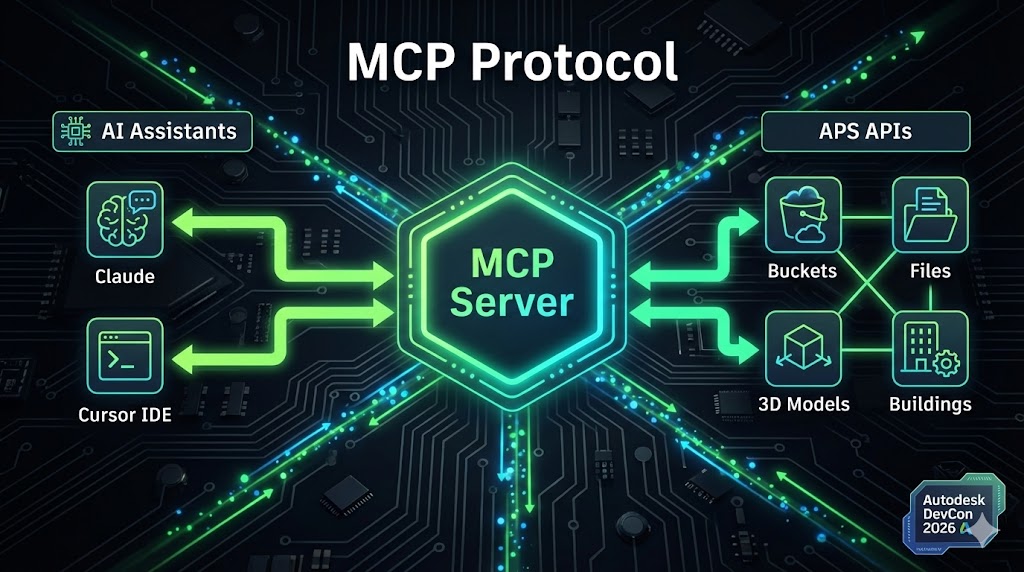
Think of MCP as a universal adapter between AI assistants and external tools. Without MCP, when you ask Claude about your APS buckets, it can only give you generic information from its training data. With MCP, Claude can actually call the OSS API and tell you your specific buckets, right now.
The protocol is simple:
- You start an MCP server (in our case,
raps serve) - The AI assistant connects to it
- The server exposes "tools"—functions the AI can call
- When you ask a question that requires live data, the AI uses the appropriate tool
The 111 Tools We've Built
The raps MCP server exposes 111 tools that cover comprehensive APS operations:
Authentication (because everything starts here):
auth_test - Test 2-legged OAuth credentials auth_status - Check current authentication stateBucket management (your cloud storage foundation):
bucket_list - List all accessible buckets bucket_create - Create a new bucket with policy and region bucket_get - Get detailed bucket information bucket_delete - Delete an empty bucketObject operations (the files that matter):
object_list - List objects in a bucket object_delete - Delete an object object_signed_url - Generate pre-signed download URL object_urn - Get Base64-encoded URN for translationTranslation workflow (where the magic happens):
translate_start - Start a translation job translate_status - Check translation progress and resultsData Management (navigating the project hierarchy):
hub_list - List BIM 360/ACC hubs project_list - List projects in a hub folder_list - List folder contents folder_create - Create new folders item_info - Get item details item_versions - View item version historyACC Issues (construction management):
issue_list - List issues in a project issue_get - Get issue details issue_create - Create new issues issue_update - Update issue status/assigneeACC RFIs (requests for information):
rfi_list - List RFIs in a project rfi_get - Get RFI detailsACC Extended (assets, submittals, checklists):
acc_assets_list - List project assets acc_submittals_list - List submittals acc_checklists_list - List checklistsAccount Admin (bulk operations):
admin_project_list - List all projects in account admin_user_add - Add user to projects admin_user_remove - Remove user from projects admin_user_update_role - Update user roles admin_operation_list - List bulk operations admin_operation_status - Check operation progressThese aren't arbitrary choices. They're the operations I found myself doing repeatedly while building APS integrations. The ones where having an AI assistant would actually save time.
Demo Highlights: A Real Conversation
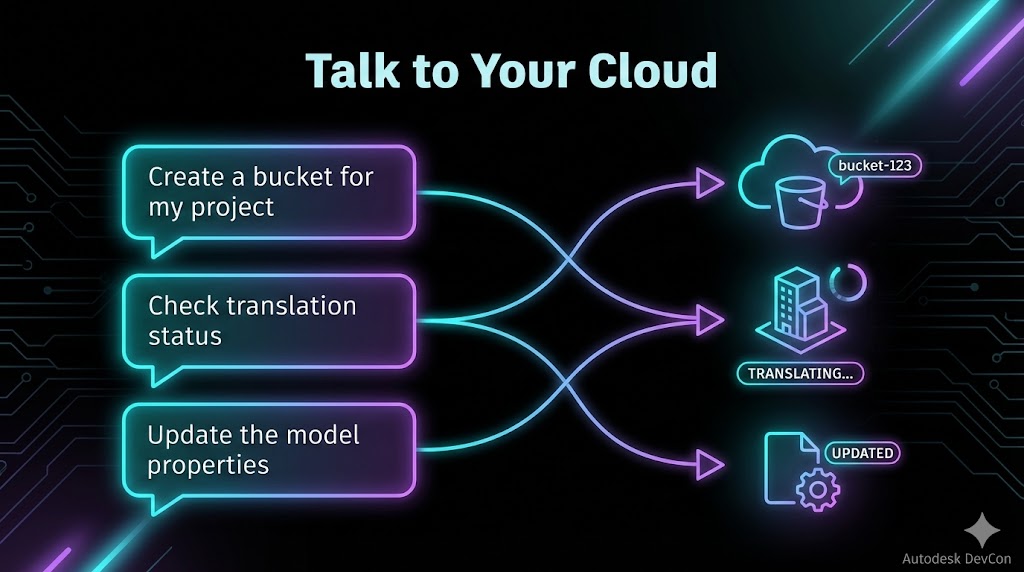
Let me show you what this looks like in practice. Not a scripted demo—a real conversation:
User: "I need to set up storage for a new hospital project.
       Create a bucket with persistent retention in the US region."

AI: I'll create that bucket for you. What would you like to name it?

User: "hospital-central-2026"

AI: [Calls bucket_create tool]     ✓ Created bucket 'hospital-central-2026'     - Policy: persistent (files kept until explicitly deleted)     - Region: US     - Owner: your-app-name          Ready for uploads. Would you like me to show you the upload command?

User: "Actually, first show me what buckets I already have"

AI: [Calls bucket_list tool]     You have 4 buckets:          1. hospital-central-2026 (persistent, US) ← just created     2. temp-processing (transient, US) - 3 objects     3. archive-2025 (persistent, US) - 147 objects       4. eu-client-data (persistent, EMEA) - 52 objects          The transient bucket will auto-delete files after 24 hours.     Want me to check what's in any of these?

User: "What's the status of the translation I started this morning?"

AI: I'll need the URN to check. Do you have it, or should I list      recent objects in one of your buckets?

User: "It's in temp-processing, the file is called hospital-model.rvt"

AI: [Calls object_list, then translate_status]     Found it. Translation status for hospital-model.rvt:          Status: success ✓     Progress: 100%     Output formats available:     - SVF2 (3D viewer)     - Thumbnail (PNG)          The model is ready for viewing. Would you like a signed      download URL, or shall I show you how to load it in the Viewer?
This isn't science fiction. This is working today.
Demo: ACC Operations via Natural Language
Here's where it gets interesting for construction teams. Real conversation, not scripted:
User: "Show me all open issues in the Downtown Tower project"

AI: [Calls project_list to find the project, then issue_list]     Found 47 open issues in Downtown Tower:          Critical (3):     - #1042: Structural clash at Level 12 - Grid B4     - #1038: Fire rating discrepancy in stairwell     - #1035: Missing penetration sleeves - MEP coordination          High (12):     - #1041: RFI needed for curtain wall connection detail     ...          Want me to filter by assignee or create a new one?

User: "Add new.engineer@company.com to all active projects as project admin"

AI: [Calls admin_user_add]     Adding user to 127 active projects...     Done.          125 projects: Added     2 projects: Already had access (skipped)

User: "What RFIs are overdue?"

AI: [Calls hub_list, then project_list, then rfi_list for each]     8 overdue RFIs across 3 projects:          Downtown Tower:     - RFI-2024-047: Structural connection detail - 5 days overdue     - RFI-2024-052: MEP routing clarification - 3 days overdue     ...          Want this as a CSV?
The AI occasionally gets confused about project IDs vs project names—you'll need to be specific sometimes. But for 80% of queries, it just works.
The Honest Limitations
I promised honesty, so here it is:
What AI assistance does well:
- Exploration and discovery ("what buckets do I have?")
- Troubleshooting ("why did this translation fail?")
- One-off operations ("create a bucket for this new project")
- Learning ("what's the difference between SVF and SVF2?")
- Production pipelines (you need deterministic, version-controlled scripts)
- High-volume operations (batch processing 10,000 files needs proper tooling)
- Complex workflows (multi-step processes with error handling)
- Audit requirements (scripts provide traceable, repeatable operations)
- MCP uses 2-legged authentication only (app context, not user context)
- No file upload support (MCP doesn't handle binary data well yet)
- Stdio transport means the AI client must start the server
Why This Matters for Your Organization
For developers: Stop context-switching between documentation tabs. Ask the AI what you need, get an answer that's grounded in your actual environment.
For DevOps teams: Troubleshoot production issues faster. When a translation fails at 3 AM, ask the AI to check the status and interpret the error—before you've even had coffee.
For managers: Lower the barrier to APS adoption. Team members who aren't API experts can still interact with the platform meaningfully.
For architects: Prototype integrations conversationally before committing to code. "What would it take to..." becomes a conversation, not a research project.
Key Takeaways
- MCP enables AI assistants to safely interact with APS APIs via 111 specialized tools—not hallucinated endpoints, but real operations
- Natural language reduces the barrier to APS automation for exploration, debugging, and learning
- AI assistance is complementary to—not replacement for—production automation
- The future is hybrid: AI for exploration and ad-hoc tasks, scripts for repeatable workflows
- raps CLI provides both traditional CLI and MCP server modes in a single open-source tool
- ACC operations are fully supported: Issues, RFIs, Assets, Submittals, Checklists, and bulk Account Admin
Resources
- GitHub: https://github.com/dmytro-yemelianov/raps
- Documentation: https://rapscli.xyz/docs
- MCP Server Guide: https://rapscli.xyz/docs/mcp-server
- Model Context Protocol: https://modelcontextprotocol.io
- Python Bindings: https://rapscli.xyz/docs/python-bindings